


How to Test DC Power Supply Voltage and Current Accuracy
How to Test DC Power Supply Voltage and Current Accuracy
A DC power supply is only as useful as the accuracy and stability of its output. Whether you are working in an electronics laboratory, repairing PCBs, testing batteries, developing power electronics, or validating production equipment, it is important to verify that the voltage and current displayed by the power supply match the actual output.
This guide explains how to test DC power supply voltage and current accuracy, including the equipment required, measurement procedures, error calculations, load testing, current accuracy verification, and the factors that can affect measurement results.
If you are selecting a power supply for laboratory or engineering work, you can also explore our DC Power Supply collection to compare different output ranges and configurations.
Why Test DC Power Supply Accuracy?
A power supply display may show 12.00 V, while a calibrated digital multimeter (DMM) may measure slightly less or more.
The same principle applies to output current.
Small measurement differences may not matter for basic electronics testing, but accuracy becomes increasingly important when working with:
-
Sensitive electronic components
-
Battery cells and battery packs
-
LEDs and semiconductor devices
-
PCB circuits
-
Power converters
-
Sensors and measurement equipment
-
Laboratory prototypes
-
Production test systems
For applications that require precise voltage and current control, verifying the actual output helps determine whether the power supply is operating within its specified performance range.
For automated testing and engineering applications, a programmable DC power supply can provide additional control through digital interfaces and programmable output settings.
Internal link: Programmable DC Power Supply
Equipment Needed to Test a DC Power Supply
Before testing a DC regulated power supply, prepare the following equipment:
-
DC power supply under test
-
Calibrated digital multimeter (DMM)
-
Suitable electronic load, resistor load, or test load
-
Appropriate test leads
-
Optional precision current shunt resistor
-
Optional precision current meter
-
Optional 4-wire remote-sense connections
-
Thermally stable test environment
The reference instrument should have significantly better accuracy than the power supply specification you are trying to verify.
For example, if you are checking a very small voltage error, a low-accuracy DMM may introduce more uncertainty than the power supply itself.
1. Allow the DC Power Supply to Warm Up
Before taking measurements, allow the power supply to reach a stable operating temperature.
Electronic components, voltage reference circuits, sensors, and measurement circuits can change slightly with temperature. Testing immediately after startup may therefore produce different results from measurements taken after the power supply reaches thermal stability.
For precision testing:
-
Turn on the power supply.
-
Allow it to warm up according to the manufacturer's recommendation.
-
Keep the ambient temperature reasonably stable.
-
Avoid placing the power supply near strong heat sources or cooling airflow.
A consistent test environment makes it easier to compare measurements over time.
2. How to Test DC Power Supply Voltage Accuracy
The simplest voltage accuracy test is to compare the power supply's displayed voltage with the voltage measured by a calibrated DMM.
Step 1: Set the Output Voltage
Select a suitable output voltage.
For example:
-
5 V
-
12 V
-
24 V
-
30 V
The exact test points should depend on the power supply's rated output range and manufacturer specifications.
For a 0–30 V bench power supply, testing several points across the range provides more useful information than testing only one voltage.
Step 2: Connect the DMM
Set the DMM to DC voltage measurement.
Connect the meter directly across the output terminals:
Power Supply + → DMM +
Power Supply − → DMM −
Make sure the polarity is correct and that the test leads are properly connected.
Step 3: Compare the Readings
Suppose the power supply display shows:
12.00 V
The calibrated DMM measures:
11.98 V
The difference is:
12.00 V − 11.98 V = 0.02 V
A commonly used calculation is:
Voltage Error (%) = (Measured Voltage − Set Voltage) / Set Voltage × 100%
For this example:
Voltage Error = (11.98 − 12.00) / 12.00 × 100% ≈ −0.17%
The negative value means that the measured output is slightly below the programmed voltage.
3. Test Voltage Accuracy at Multiple Output Levels
Testing only one voltage point does not provide a complete picture of power supply accuracy.
For a variable DC power supply, test several points across the operating range.
For example, a 0–30 V power supply could be tested at:
| Set Voltage | DMM Reading | Voltage Error |
|---|---|---|
| 5 V | 5.01 V | +0.20% |
| 10 V | 9.99 V | −0.10% |
| 15 V | 15.02 V | +0.13% |
| 20 V | 19.98 V | −0.10% |
| 30 V | 29.97 V | −0.10% |
Testing multiple points helps identify whether the error remains relatively consistent across the output range or becomes larger at very low or high settings.
For higher-precision applications, additional test points can be used.
If you need a bench supply with a wider programmable voltage range, KUAIQU's programmable DC power supply series includes models covering different voltage and current requirements.
4. Test Voltage Accuracy Under Load
Measuring output voltage with no load is useful, but it does not show how the power supply behaves while delivering power to a real circuit.
Connect an appropriate load and repeat the voltage measurement.
For example:
No Load: 12.00 V displayed, 12.00 V measured
Under Load: 12.00 V displayed, 11.94 V measured
The difference indicates that the output voltage changes as current flows through the load.
This is where load regulation becomes important.
A well-designed DC regulated power supply should maintain its output voltage within the manufacturer's specified limits as the load changes.
5. Check Voltage Drop at Different Loads
To evaluate voltage regulation more thoroughly, test the power supply at different load levels.
For example:
| Load Condition | Set Voltage | Measured Voltage |
|---|---|---|
| No Load | 12 V | 12.00 V |
| 25% Load | 12 V | 11.99 V |
| 50% Load | 12 V | 11.98 V |
| 75% Load | 12 V | 11.96 V |
| 100% Load | 12 V | 11.94 V |
This test can reveal whether the power supply maintains stable output as the load increases.
If the voltage drops significantly, possible causes include:
-
Insufficient power capacity
-
Current limiting
-
Internal voltage regulation limitations
-
Excessive cable resistance
-
Poor terminal connections
-
Thermal effects
-
Incorrect remote-sense configuration
For applications requiring substantially higher current, a high-power DC power supply is more appropriate than a conventional low-power bench supply.
6. How to Test DC Power Supply Current Accuracy
Testing current accuracy is slightly different from testing voltage accuracy.
The power supply's current display represents the current flowing from the power supply into the load. To verify this reading, you need a suitable load and an accurate current measurement method.
One practical method is to use a precision shunt resistor and measure the voltage across the shunt.
The relationship between voltage, current, and resistance is:
I = V / R
For example, if a 0.1 Ω precision shunt resistor has 0.500 V across it:
I = 0.500 / 0.1 = 5 A
The calculated current can then be compared with the power supply's displayed current.
When testing higher current levels, make sure the shunt, cables, connectors, electronic load, and measuring instruments are all rated for the expected current and power.
7. Test Current Accuracy at Multiple Current Levels
Just like voltage accuracy, current accuracy should be evaluated at multiple operating points.
For example, for a 0–5 A DC power supply:
| Set Current | Reference Current | Current Error |
|---|---|---|
| 0.5 A | 0.502 A | +0.40% |
| 1 A | 0.998 A | −0.20% |
| 2 A | 2.004 A | +0.20% |
| 3 A | 2.997 A | −0.10% |
| 5 A | 4.985 A | −0.30% |
Testing across the current range helps identify whether the power supply's current measurement remains consistent at both low and high output levels.
For battery charging and higher-current applications, a power supply with a suitable current range and stable constant-current operation should be selected.
Internal link: KUAIQU High Power DC Power Supply for Battery Charging
8. Test Constant Voltage and Constant Current Modes
Most adjustable DC power supplies operate in two fundamental regulation modes:
CV — Constant Voltage
In constant voltage (CV) mode, the power supply regulates the output voltage while the load determines the required current, within the configured current limit.
For example, you may set:
12 V / 3 A current limit
If the load requires only 1 A, the supply can remain in CV mode at approximately 12 V.
CC — Constant Current
In constant current (CC) mode, the power supply limits the output current to the configured value, allowing the output voltage to change according to the load.
For example, if a load attempts to draw more current than the configured current limit, the power supply may enter CC mode and reduce the output voltage.
Therefore, if the output voltage is lower than the programmed value during testing, check whether the power supply has entered CC mode before assuming that there is a voltage regulation problem.
9. Use Remote Sense for Higher-Accuracy Measurements
When the load is located far from the power supply, voltage can be lost across the output cables.
For example:
Power supply terminals: 12.00 V
Voltage at load: 11.90 V
The 0.10 V difference may be caused by cable resistance and the current flowing through the cables.
A power supply with remote sense can compensate for voltage loss in the output leads by sensing voltage directly at the load.
Remote sensing can be particularly useful for:
-
High-current testing
-
Battery testing
-
Long cable connections
-
Precision electronics testing
-
Automated test systems
When evaluating remote-sense performance, measure the voltage both at the power supply terminals and directly at the load.
10. Check Measurement Error Carefully
When evaluating power supply accuracy, distinguish between the following values:
-
Set value
-
Power supply display value
-
External reference measurement
-
Actual load voltage or current
These values are not necessarily identical.
A useful test record can include:
| Parameter | Example |
|---|---|
| Set Voltage | 24.00 V |
| Power Supply Display | 24.01 V |
| DMM Measurement | 23.98 V |
| Load Current | 2.00 A |
| Ambient Temperature | 23°C |
| Load Condition | 50% |
| Measurement Instrument | Calibrated DMM |
Recording these conditions makes the test more repeatable and makes it easier to identify changes in performance over time.
Common Factors That Affect DC Power Supply Accuracy
Even an accurate DC power supply can produce misleading results if the measurement setup is poor.
Cable Resistance
Long or thin output cables can create voltage drop, especially during high-current testing.
Measurement Instrument Accuracy
A low-quality or uncalibrated DMM can introduce significant measurement error.
Temperature
Electronic components and voltage reference circuits can have temperature coefficients that affect output accuracy.
Load Stability
A changing or unstable load can cause measured voltage and current to fluctuate.
Loose Connections
Loose terminals, damaged test leads, and poor contacts can introduce additional resistance.
Current Limit Settings
If the power supply enters CC mode, the output voltage may fall below the programmed value.
Ripple and Noise
High-frequency ripple and noise can influence some measurement instruments, particularly when measuring small voltage variations.
For applications where ripple and noise are important specifications, consider them together with voltage and current accuracy rather than evaluating accuracy alone.
How Often Should a DC Power Supply Be Tested?
The appropriate verification interval depends on the application.
For general laboratory use, periodic verification may be sufficient.
For production testing, calibration laboratories, battery testing, or applications where measurement accuracy directly affects test results, more frequent verification may be appropriate.
Always follow the manufacturer's specifications and your organization's calibration procedures.
A useful practice is to establish a baseline when the power supply is new or recently calibrated, then compare future measurements against that baseline.
Accuracy Testing vs. Calibration: What's the Difference?
Accuracy testing and calibration are related, but they are not the same process.
Accuracy testing checks how closely the power supply's actual output agrees with a reference measurement.
Calibration involves adjusting or correcting an instrument so that its measurements meet specified requirements.
If testing shows that the output is outside the manufacturer's specified accuracy range, do not immediately adjust the power supply.
First verify:
-
The reference instrument
-
Test leads
-
Load
-
Environmental conditions
-
Measurement procedure
-
Power supply operating mode
If the result remains outside specification, follow the manufacturer's calibration procedure or use an appropriately qualified calibration service.
Choosing a DC Power Supply for Accurate Testing
When selecting a DC regulated power supply for laboratory or engineering applications, maximum voltage and current are only part of the specification.
Important specifications include:
-
Voltage setting accuracy
-
Current setting accuracy
-
Voltage readback accuracy
-
Current readback accuracy
-
Load regulation
-
Line regulation
-
Output ripple and noise
-
Temperature stability
-
Resolution
-
Remote sensing capability
-
Protection functions
-
Communication interfaces
For automated testing and R&D, a programmable DC power supply can provide additional flexibility through programmable output settings and communication interfaces such as USB, RS232, RS485, and Modbus on applicable models.
For applications requiring higher voltage, KUAIQU also offers programmable high-voltage models covering ranges such as 200 V, 300 V, 400 V, 600 V, 800 V, and 1000 V depending on the model.
Internal link: KUAIQU 1kV DC Power Supply
KUAIQU DC Power Supplies for Precision Testing
KUAIQU DC regulated power supplies are designed for applications requiring stable and controllable DC output, including electronics testing, laboratory research, PCB testing, battery testing, and power electronics development.
Different KUAIQU series are available for different testing requirements.
For Laboratory and Electronics Testing
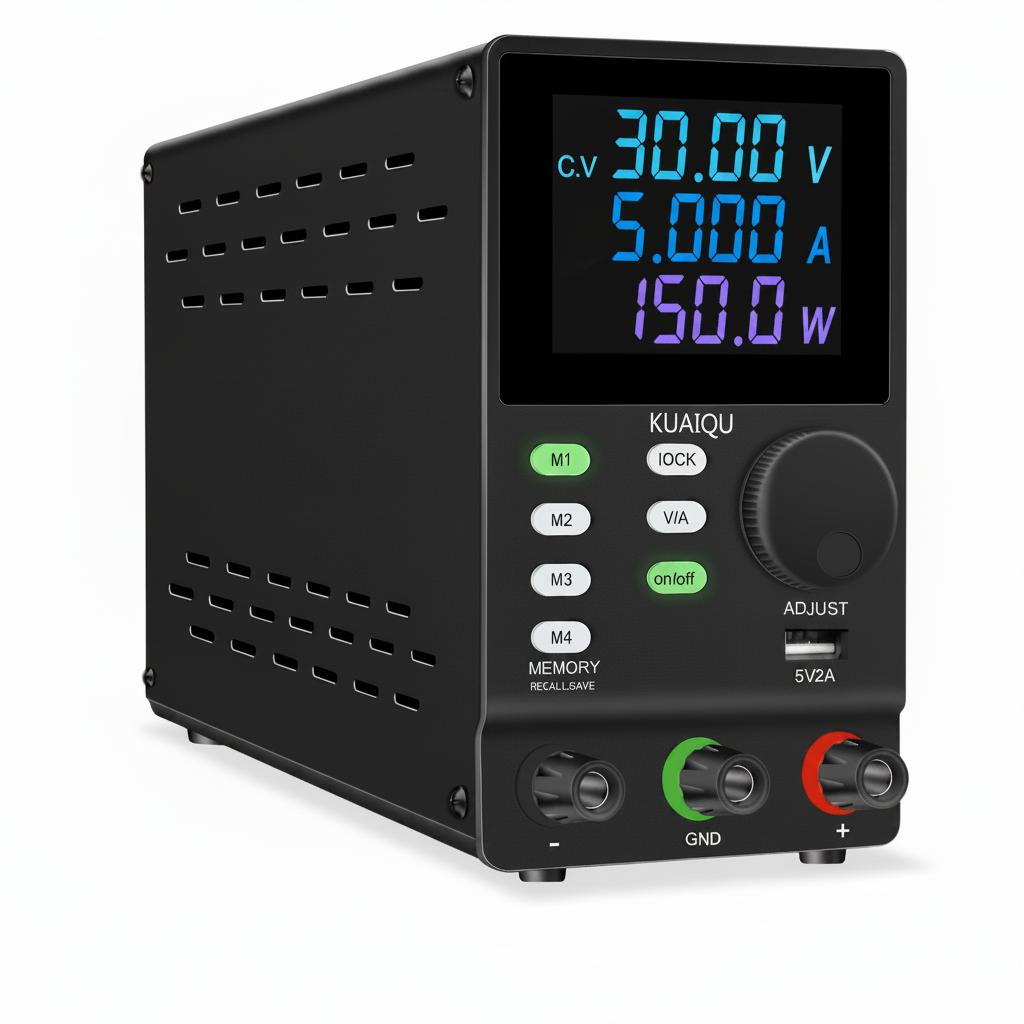
The SPPS-D Series provides adjustable DC output with programmable functions, color LCD display, memory storage, and RS232 communication on applicable models. It is suitable for laboratory testing, electronics repair, industrial maintenance, battery charging, and engineering applications.
Internal link: KUAIQU SPPS-D Series DC Power Supply
For High-Current Testing
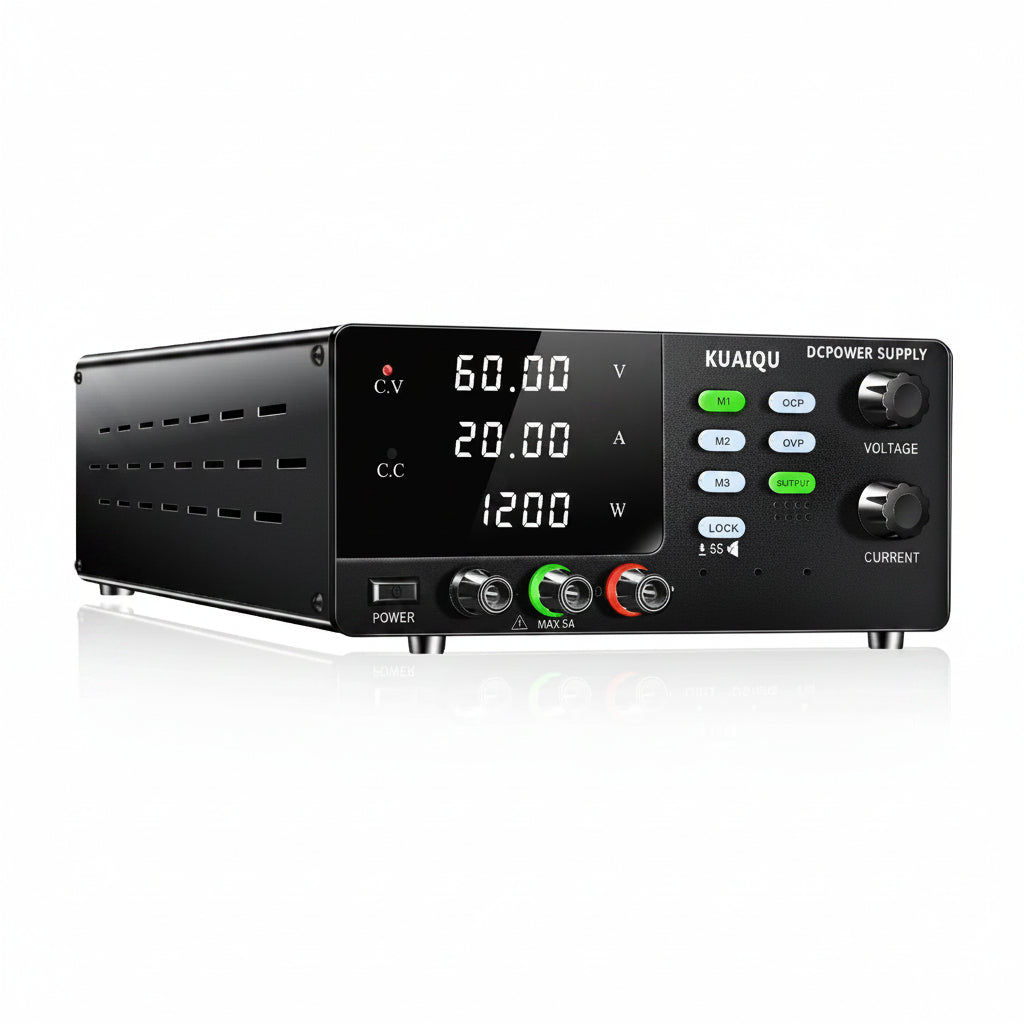
The R-SPS High Power Series covers configurations such as 15 V/30 A, 30 V/20 A, 30 V/30 A, 60 V/10 A, and 60 V/20 A, with models designed for high-current applications, battery charging, and precision electronics testing.
Internal link: KUAIQU R-SPS High Power DC Power Supply
For Industrial High-Power Applications
KUAIQU's industrial high-power series includes models up to 300 V/100 A and power levels reaching 3000 W, making the series suitable for applications that require substantially higher output power.
Internal link: KUAIQU Industrial High Power DC Power Supply
For High-Voltage Testing
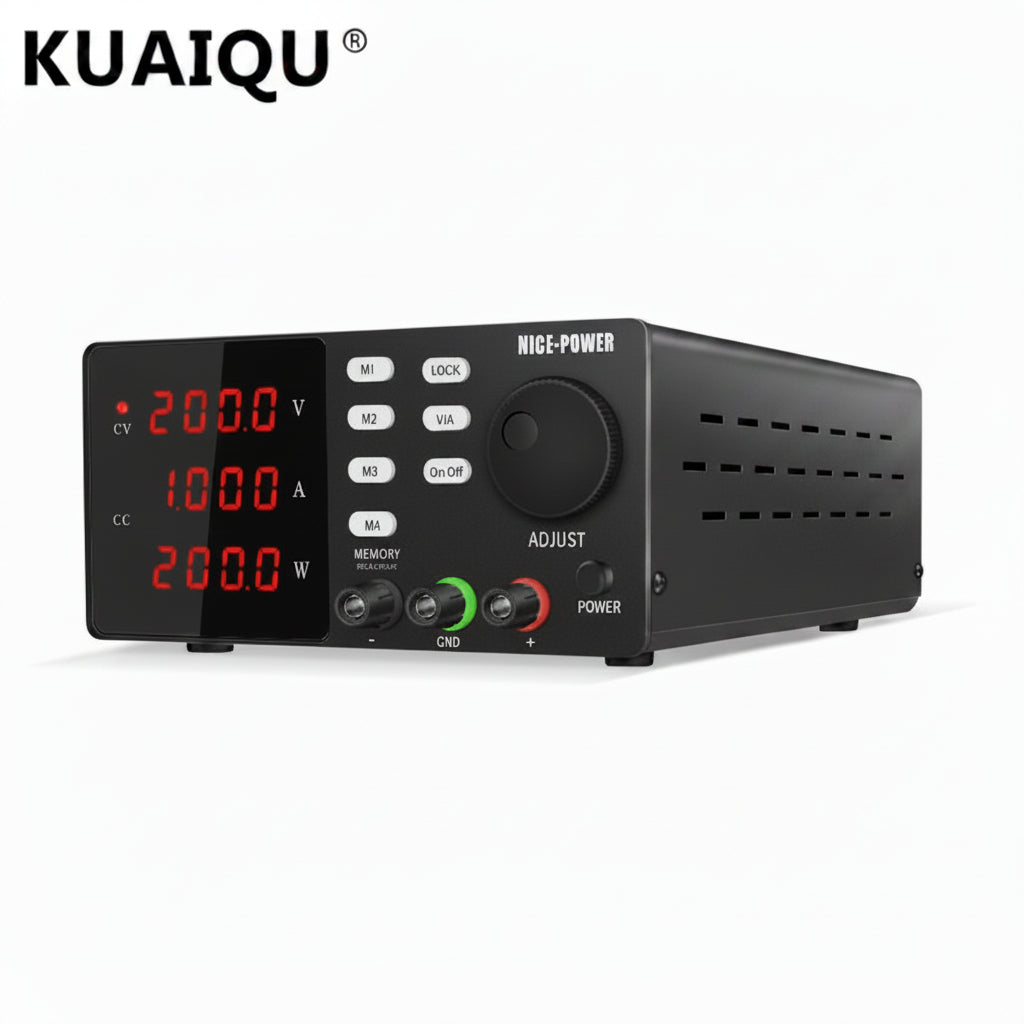
For semiconductor testing, high-voltage circuit debugging, LED testing, and other high-voltage applications, KUAIQU offers programmable high-voltage DC power supplies with output ranges up to 300 V in the referenced series.
Internal link: KUAIQU High Voltage DC Power Supply
Final Checklist: Testing DC Power Supply Accuracy
Before completing the test, verify:
-
The power supply has reached a stable operating temperature.
-
The DMM or reference instrument has appropriate accuracy and calibration.
-
Test leads are properly connected.
-
Voltage is measured directly across the output terminals or load.
-
Multiple voltage points are tested.
-
Multiple current points are tested.
-
The power supply is tested under appropriate load conditions.
-
CV and CC operating modes are identified.
-
Cable voltage drop is considered.
-
Remote sense is correctly configured when required.
-
Measurement conditions are recorded.
-
Results are compared with the manufacturer's specifications.
Conclusion
Testing DC power supply voltage and current accuracy does not require complicated equipment for basic verification. A suitable calibrated DMM, an appropriate load, proper wiring, and a repeatable measurement procedure can provide a useful assessment of actual output performance.
For more demanding applications, test the power supply at multiple voltage and current levels and under different load conditions. Factors such as cable resistance, temperature, load regulation, ripple, noise, and remote sensing should also be considered.
For engineers working with batteries, PCBs, power electronics, semiconductor devices, and laboratory equipment, regular output verification can help confirm that the DC regulated power supply is delivering the voltage and current required by the application.
If you are selecting a power supply for precision testing, compare the required voltage and current range first, then evaluate accuracy, resolution, ripple, load regulation, protection functions, remote sensing, and communication capabilities.
Explore KUAIQU DC Power Supplies for laboratory, electronics, battery, and industrial testing applications.
Internal link: View All KUAIQU DC Power Supplies